

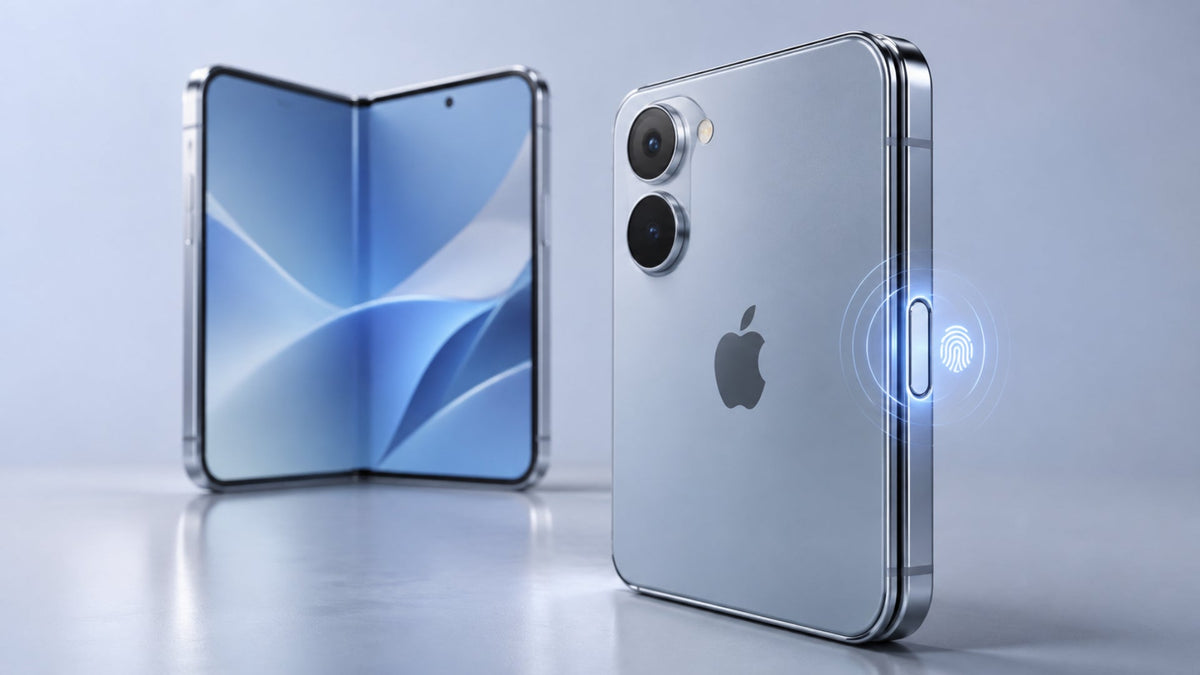
The short answer to "does iPhone Duo have Face ID" is no. According to Apple's iPhone Duo page, the phone uses Touch ID built into the side button. Apple describes it as a consistent way to sign in whether the phone is closed or open. If you're coming from a Face ID iPhone, this is a change in habit, but you keep the same core features.
This guide explains how Touch ID works in both fold states and how to set it up. It also covers how secure it is and what it means for Apple Pay, your passcode, and your case.
Does the iPhone Duo Have Face ID or Touch ID?
The iPhone Duo has Touch ID, not Face ID. Apple's iPhone Duo specifications list a "fingerprint sensor built into the side button" and a Touch ID fingerprint sensor under Sensors. They include no Face ID or TrueDepth entry, and Apple's Face ID support article confirms that iPhone Duo uses Touch ID instead.
The two systems work in different ways. Face ID is facial recognition. It uses the TrueDepth camera system, a set of front sensors that projects thousands of invisible dots to map the shape of your face. Touch ID is fingerprint authentication. You rest an enrolled finger on a physical sensor, and the phone checks it against your saved print.
Many people assume a modern front camera means Face ID. That's not the case here. Apple lists the following front hardware on the iPhone Duo, and none of it is Face ID:
- Dynamic Island: Apple lists it on both the inner and outer displays.
- Outer camera: A 12MP Center Stage camera on the outer display.
- Inner camera: An under-display FaceTime camera with f/1.8 aperture and 1080p video.
Apple ties Face ID to the TrueDepth camera system specifically. A selfie camera, even a capable one, doesn't add facial authentication on its own. The spec sheet is the deciding source.
Why Doesn't the iPhone Duo Have Face ID?
Apple's only stated reason is that Touch ID gives you a consistent way to authenticate whether the phone is open or closed. Apple hasn't published a detailed engineering explanation beyond that.
What follows is our analysis, not an Apple statement. The iPhone Duo has two screens, a 5.4-inch outer display and a 7.6-inch inner display. The inner screen uses an under-display camera. Face ID needs the TrueDepth camera to see your face, ideally from about 10 to 20 inches away. A likely factor is that one fingerprint sensor on the edge serves both screens more simply than face-scanning hardware would.
How Does Touch ID Work on the iPhone Duo?
Touch ID reads your fingerprint through the side button. The Secure Enclave, a protected area inside the iPhone, stores your fingerprint data and handles the match. You rest your finger, and the phone opens.
Where Is the iPhone Duo's Fingerprint Sensor?
The iPhone Duo fingerprint sensor sits inside the side button. Apple's iPhone Duo user guide labels it "Side button/Touch ID." It's on the right edge, below the volume buttons and above Camera Control. Because it's a button you already use to wake the phone, sign-in happens in the same motion.

How to Set Up Touch ID on the iPhone Duo
You can set up Touch ID in a few minutes. Make sure your finger and the side button are clean and dry first.
- Set a passcode. Apple requires one before you can use Touch ID.
- Open Settings > Touch ID & Passcode and enter your passcode.
- Tap Add a Fingerprint.
- Rest your finger on the side button without pressing. Lift and rest it slowly, shifting its position a little each time.
- When prompted, adjust your grip and scan the outer edges of your fingertip.
- Add more fingers, up to five in total. Apple notes that each extra print may make recognition slightly slower.
- Optional: turn on Rest Finger to Open in Settings > Accessibility so you can open the phone without pressing the button.
If one finger is hard to enroll, Apple suggests trying a different one. In the same settings screen, you also choose where Touch ID works, such as unlocking, payments, and password autofill.
Can You Unlock the iPhone Duo When It's Folded?
Yes. Apple says Touch ID authenticates the iPhone Duo whether it's closed or open. When the phone is folded, you use the 5.4-inch outer display and rest your finger on the side button. You don't need to open the phone to check messages, pay, or sign in to an app.
Does Touch ID Work When the iPhone Duo Is Unfolded?
Yes. The unfolded phone uses the same sensor in the same side button. Apple describes one consistent method, not separate modes for each state.
Our tip: your hand position may change when you open the phone. Enroll the finger you naturally use in each hold, such as your right thumb when closed and your index finger when open.
Is Touch ID as Secure as Face ID?
Apple presents both as secure ways to protect your iPhone. It doesn't publish a recent head-to-head comparison. Both systems use the Secure Enclave, and neither replaces your passcode.
For Face ID, Apple gives clear figures. The chance that a random person could open your device with Face ID is less than 1 in 1,000,000 with a single enrolled appearance. Face ID allows five failed attempts before it asks for your passcode. Apple notes the odds rise for twins, siblings who look like you, and children under 13.
Apple's Touch ID false-match figure appears on an older page from 2023. For that reason, we don't set the two numbers side by side. The real difference is how you authenticate, not whether Apple protects your data.
Is Touch ID Better Than Face ID on the iPhone Duo?
Neither is better in every situation. It depends on how you use your phone. Touch ID gives you one method that works the same in every fold state. Face ID is hands-free, but it needs your face in view of the TrueDepth camera.
This table compares the two systems, using the iPhone 18 Pro as the Face ID example.
| Feature | Touch ID (iPhone Duo) | Face ID (for example, iPhone 18 Pro) |
|---|---|---|
| How it authenticates | Fingerprint on the side-button sensor | Face scan with the TrueDepth camera system |
| Works open and closed | Yes, per Apple | Not applicable (single display) |
| Hands-free | No, needs a finger on the button | Yes, glance to unlock |
| Apple Pay | Touch ID | Side-button double-click plus Face ID |
| Passcode fallback | Yes | Yes |
| Data protection | Secure Enclave | Secure Enclave |
Source: Apple iPhone Duo specs and Apple Support Face ID pages.
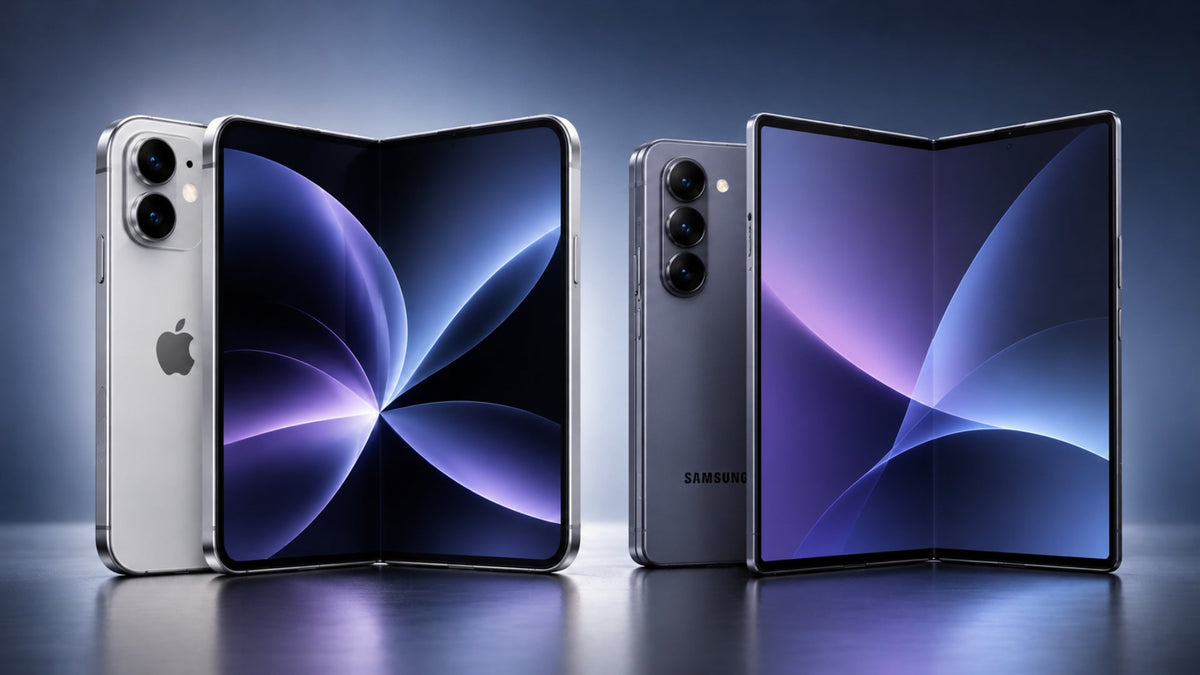
The main trade-off is hands-free use versus consistency. On a foldable with two screens, Apple chose consistency. If you're still deciding between the two phones, our iPhone Duo vs iPhone 18 Pro Max comparison covers the wider differences.
Is iPhone Duo Touch ID Secure?
Yes. Apple designs iPhone Duo Touch ID to keep your fingerprint data on the device. Your passcode stays in place as a backup for every situation.
How Apple Protects Fingerprint Information
The sensor sends each scan to the Secure Enclave. The Secure Enclave stores an encrypted template of your print and does the matching itself. According to Apple's platform security guide, your fingerprint data stays on the device. Apple doesn't receive it, and your backups don't include it.
Can You Use Touch ID for Apple Pay and Apps?
Yes. Apple's specs say you can pay with Touch ID in stores, within apps, and on the web. With Touch ID, resting your finger on the sensor approves the payment. You can also use it for App Store and Apple Books purchases instead of typing your Apple Account password. Many third-party apps support Touch ID sign-in too.
Can You Still Unlock the iPhone Duo With a Passcode?
Yes. You need an iPhone Duo passcode to set up Touch ID, and it remains your other way in. Apple says biometrics don't replace a passcode. They just make access faster in most situations. You'll also need the passcode after a restart and when you add or remove fingerprints.
Can an iPhone Duo Case Affect Touch ID?
Apple's sources don't say that cases block or weaken Touch ID. Apple sells two options of its own, the iPhone Duo Case and the iPhone Duo Folio with Kickstand.
It's fair to worry that a new case might not fit your exact model or might get in the way of the sensor. Our practical advice, since the sensor lives in the side button, is simple. Choose an iPhone Duo case that leaves the side button fully reachable. Then test your fingerprint with the case on. A foldable has different fit needs than a regular iPhone, and our guide on whether the iPhone Duo needs a special case explains why.
When you're ready to shop, you can browse our iPhone Duo cases. Check each product page for button access and compatibility details.
If the button ever needs repair, Apple's support guidance on genuine Touch ID buttons says a replaced button won't work until the repair is completed or the iPhone is restored.
FAQ
Why doesn't the iPhone Duo have Face ID?
Apple hasn't published an engineering reason. Its FAQ says Touch ID gives a consistent way to sign in whether the phone is open or closed, which suits a phone with two displays.
Where is the fingerprint sensor on the iPhone Duo?
It's in the side button on the right edge. Apple's guide places it below the volume buttons and above Camera Control, so your thumb or finger reaches it in a normal grip.
Can you use Touch ID without opening the iPhone Duo?
Yes. Apple says Touch ID works whether the phone is closed or open. You can sign in and use the outer display without unfolding the phone.
Does the iPhone Duo use Touch ID for Apple Pay?
Yes. Apple's specs list paying with Touch ID in stores, within apps, and on the web. You approve the payment by resting your finger on the side button.
Can you unlock the iPhone Duo with a passcode instead?
Yes. You set a passcode before Touch ID, and it stays available at all times. It's also required after a restart and when you change your enrolled fingerprints.
Is Touch ID more secure than Face ID?
Apple doesn't frame one as strictly more secure. Both use the Secure Enclave and a passcode fallback. Apple's published Face ID false-match figure is under 1 in 1,000,000.
Will Apple add Face ID to a future iPhone Duo?
Apple hasn't announced Face ID for any future iPhone Duo model as of November 2026. Check Apple's official specs page for the latest information.

Leave a comment
This site is protected by hCaptcha and the hCaptcha Privacy Policy and Terms of Service apply.